SketchBook Pro 2026 (x64) Multilingual + Portable
SketchBook Pro Portable is a professional-grade digital drawing, painting, and illustration tool recognized for its easy-to-use interface, pressure-sensitive brush engine, and seamless support for styluses, tablets, and touch devices. This application, first developed by Autodesk and then maintained by Sketchbook Inc., has become a must-have tool for artists, designers, illustrators, and amateurs seeking intuitive, responsive sketching experiences without the bloat of full-featured suites such as Photoshop.
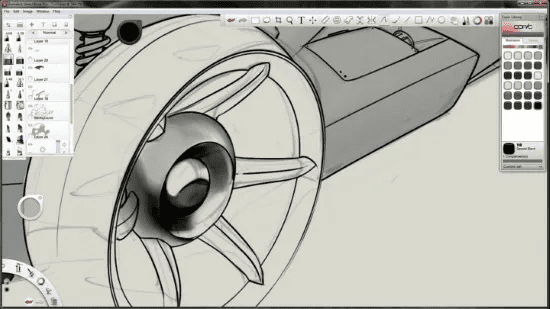
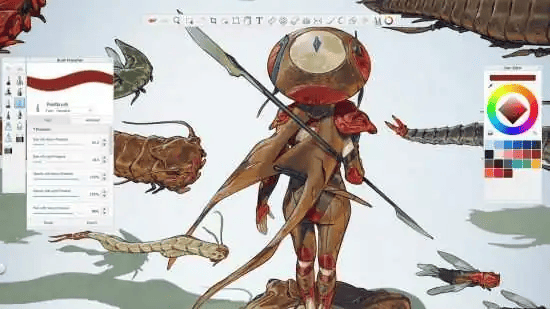
SketchBook Pro 2026 Latest Portable enables users to do everything from rapid sketches and concept art to finished drawings and conventional animations. SketchBook Pro has over 140 configurable brushes, infinite layers, large canvas sizes of up to 100 megapixels, and complex features like symmetry guides, perspective rulers, and animation tools.
SketchBook Pro Full Portable for Windows is differentiated by its simple yet efficient user interface, sometimes known as the “Lagoon UI” because of its circular, gesture-based marking choices that radiate from the center of the screen like a tranquil pond. This design replaces cluttered toolbars with context-sensitive pucks and palettes that appear only when needed. The primary canvas dominates the workspace, flanked by the Brush Puck for quick tool switching, the Color Puck for hue selection, and the Lagoon for layer, guide, and utility access.
Also, try these other products from FC Portables Shop:
Features of SketchBook Pro
- An advanced brush engine with realistic texture modeling.
- A multi-layered canvas framework for complex designs.
- Tablets offer intuitive pressure sensitivity support.
- A large selection of drawing and painting tools.
- A customizable user interface allows for more efficient processing.
- High-resolution export options for professional printing.
- Symmetry and transformation tools for precise sketching.
- Smooth line stabilization for precise strokes.
Use Cases
- Conceptual artists produce ideas rapidly and employ symmetry and perspective.
- Comic artists frequently employ layers and mixes for inking and coloring.
- Animators can utilize the Flipbook to create pre-visualizations.
- Educators: Annotation of imported references.
- Hobbyists simulate natural media.
Languages
All languages included! You can easily change the language in File -> Language

Portable Features:
- No installation is required.
- No administrator rights are required.
- Pre-activated
- Online enabled.
- Now supports dark mode.
- The Sandbox folder holds updated settings; delete it to reset.
- Run it and enjoy!